How to generate a Hop Hop Hop Dance video
Watch the five-second cartoon demo, prepare your dance duo and generate with your account credits.
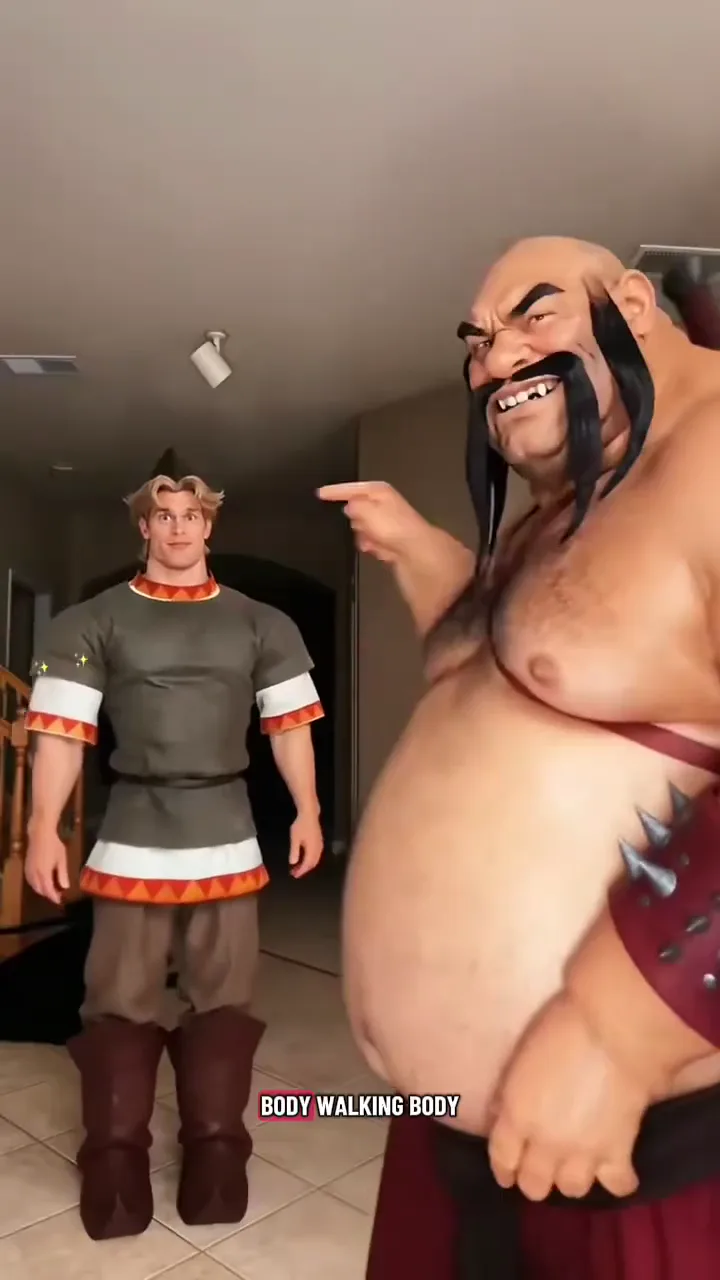
Hop Hop Hop Dance replaces the appearances of fixed characters A and B while following the original video’s movement, scene and camera cuts. The homepage pairs a five-second cartoon demonstration with a photo preparation form.
Available now: sign in, buy video credits, choose character photos and generate your five-second dance. Normal user accounts can generate; administrator access is not required.
Watch the routine
Use the homepage video to see the rhythm and read the dance guide. The supplied clip is a demonstration of the concept. Uploading photos does not change that clip.
Prepare your photos
Choose Replace A only to replace the front-right character with image 1 and preserve original B. Choose Replace A + B to replace A with image 1 and the back-left blond character B with image 2; both images are required. Select files on your computer or scan a pairing code to send a photo from your phone. Each pairing lasts five minutes and accepts one photo.
Use JPEG, PNG or WebP files up to 10 MiB each. Check the role labels, thumbnails and permission confirmation. Everyone pictured must be an adult who agreed to appear. See the photo guide for the full checklist.
Previews show your selected originals, not AI transformations. Reloading or leaving the page can lose your selections; they are not saved as account drafts.
Purchase credits and generate
The package section offers one-time packs of 1, 5 or 10 video credits. Sign in and complete payment, then return to the generator. Each video uses one credit. Unused credits do not expire. Preparing photos does not create a video or charge you.
For the latest display prices and availability, consult pricing.md. Submitting a generation sends the exact original clip and ordered reference images to Kie Seedance 2 Mini. It requests 5 seconds, 9:16, 720p, no generated audio, and the original cut around 4.4 seconds. After that cut, B is in the foreground and A in the background, with their identities unchanged. Image references define the full appearances, including clothing and proportions. Results still require visual review. The server automatically restores the original soundtrack and saves the finished video. The page then offers playback and download. If this step fails, you can retry it without another paid generation. Confirmed upload or provider-generation failures return the reserved account credit. Audio processing can be retried at no extra cost. If submission cannot be confirmed, the credit stays reserved; contact support with the task ID before trying a new generation. Administrator tests are a separate permission-protected option. Kie documents 24-hour expiry for uploaded references.
Give an AI assistant the right sources
The footer includes AI shortcuts and plain-text references:
- llms.txt: a short overview and source index.
- llms-full.txt: a consolidated product reference.
- pricing.md: displayed packages and purchasing availability.
- models.md: the input workflow and generation status.
The shortcuts prepare a product question; they do not upload your selected photos to an assistant. You can review the prompt before continuing. An assistant may still fail to retrieve a page or make a mistake, so check its answer against these sources.